
MOJO Sports
MOJO SportsSports
4.1114.00 Reviews
- Version
- 1.67.0+production-release
- Installs
- 100.00K
- Age Rating
- Everyone
Screenshots
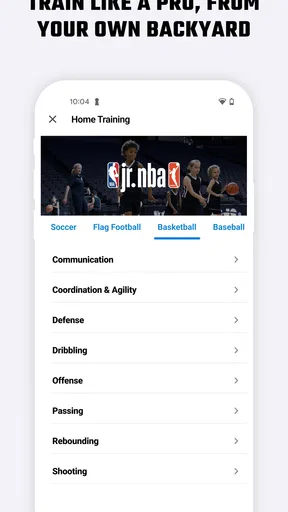
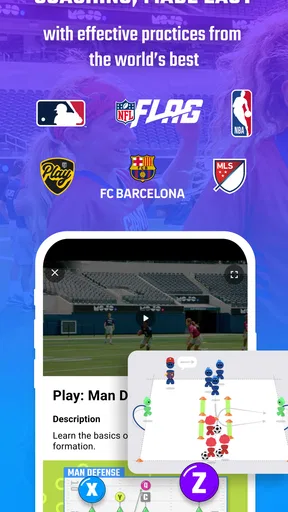
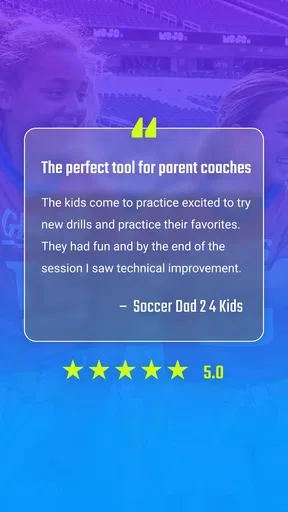
Our Review of MOJO Sports
 Analysis by Appyee
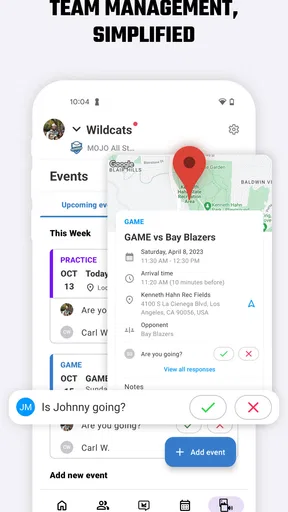
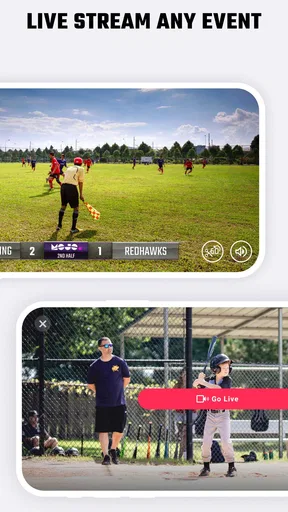
I approached MOJO Sports as a practical sports app rather than something to open only when a game is already underway. Developed by MOJO Sports, it combines coaching tools with sports streaming in one free app, which makes it interesting for youth teams, coaches, parents, and anyone who wants a more organized way to follow local sports activity. My overall impression is that its value depends less on flashy presentation and more on whether your team actually needs one place for preparation and viewing.
The app sits in the sports category and is available to an Everyone audience. It has passed the point of being an obscure experiment, with more than one hundred thousand installs, while its average rating is 4.1 from roughly two hundred and fifty ratings. Those figures suggest a useful but not universally perfect experience: enough adoption to take seriously, yet not the kind of overwhelming consensus that lets me ignore individual limitations.
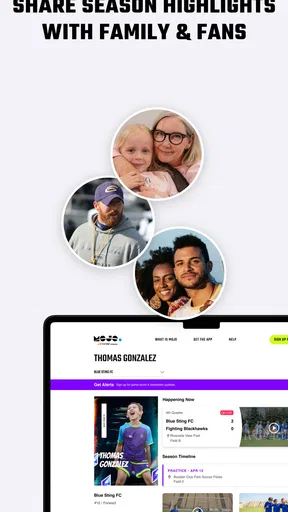
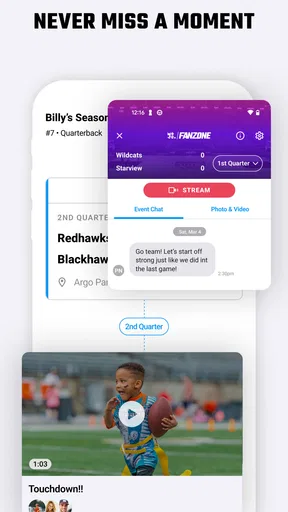
What makes it different from a basic sports video app is the combination of roles. A coach may use it before a match, while a family member may return to it to watch or revisit sports content. That shared purpose is convenient, although it also means the app can feel broader than someone looking for a single, highly specialized function.
How MOJO Sports feels during real use
I find MOJO Sports easiest to judge by whether it makes a team’s routine clearer, not simply by how many things it brings together. In this section, I’ll look at the practical choices that shape everyday use, including how I would prepare for a session and what I’d check before relying on it during a live event.
Speed expectations before a busy session
My first expectation with an app like this is not instant entertainment; it is a smooth path from opening the app to finding the relevant coaching or streaming activity. MOJO Sports is most useful when it reduces the small bits of friction around a team routine. If I am preparing for practice, I want to move quickly from the app’s opening screen to the material or viewing option I need, without treating the app like a complicated administration system.
That distinction matters. A coaching platform can be technically responsive and still feel slow if its organization makes me search through too many layers. I would judge this app by how quickly a coach can identify the next task, not merely by how fast its screens appear. For a parent, the equivalent test is simple: can I get to the expected sports stream without wandering through coaching-oriented areas that do not apply to me?
The free entry point is helpful here because it lowers the risk of trying the workflow with a real team. I can see whether the app fits my habits before committing money. However, free access should not be confused with a completely cost-free long-term experience. The app includes in-app purchases ranging from $1.99 to $59.99 per item, so I would check the purchase screen carefully before assuming every part of the experience is included.
One practical tip is to set up the app before the day of a match or practice rather than installing it minutes beforehand. That gives me time to understand where the coaching and streaming functions sit, confirm that my device is comfortable to use, and avoid turning the start of an event into a troubleshooting session. This is especially important when several people are relying on the same workflow.
What happens during heavy-use moments
The most demanding moment for MOJO Sports is likely to be the overlap between preparation and viewing. A coach may be organizing a session while families are focused on sports content, and those two audiences have different priorities. One wants structure and control; the other wants quick access and minimal interruption. An app that serves both must remain understandable even when the user is in a hurry.
For my own use, I would separate those jobs whenever possible. I would prepare coaching material earlier, then use the app during the event mainly for the viewing side. That simple division reduces the chance of making last-minute changes while also trying to follow a stream. It is a non-obvious advantage of treating the app as a routine tool rather than a single-purpose viewer: preparation can happen calmly, while event-time use stays focused.
Another useful workflow is to decide who in the group actually needs to manage the app. If every parent tries to configure the same activity independently, confusion can replace the convenience of having a shared sports platform. A coach or designated organizer should handle the team-facing setup, while other users can concentrate on watching. This is not a feature claim; it is the sensible way to use an app that brings coaching and streaming together.
I would also avoid judging the app solely by a single busy session. Sports viewing depends on timing, network conditions, and the number of people trying to use a service at once. If the app feels less immediate during a major event than during a quiet afternoon, that difference is worth noting, but it does not automatically mean the entire product is unreliable. The fair test is whether it remains usable for the ordinary situations your team actually faces.
Reliability and the importance of recovery
Reliability is more than staying open. For MOJO Sports, I care about whether I can recover gracefully when something interrupts the session. A sports app is often used in imperfect conditions: someone switches apps, a connection changes, a phone locks, or a coach needs to pause and return later. The less work I have to repeat after an interruption, the more dependable the app feels.
I would build a small recovery habit around it. Before an important session, I would open the app early, locate the intended content, and keep the phone sufficiently charged. If I were responsible for a team, I would also have a simple backup plan for communication and viewing rather than assuming one app should carry the entire event. That is not a criticism unique to MOJO Sports; it is good practice for any service used at a time when people cannot easily reschedule.
The app’s current version is 1.67.0+production-release, which tells me that it is an actively versioned product rather than a one-off release. Still, a version number alone does not guarantee that every device will behave identically. Updates can improve one area while exposing a problem on another device or operating-system combination. I would therefore update before a planned event, but not experiment with a major change for the first time moments before the event begins.
A useful recovery test is to close the app after reaching the content I need, reopen it, and see how much effort it takes to continue. I would repeat that after briefly switching to another app. This gives a more realistic picture than simply checking whether the opening screen loads. If returning to the same activity is straightforward, MOJO Sports becomes easier to trust for recurring team routines.
Device limits and everyday practicality
MOJO Sports requires Android 8.0 or later, so owners of older Android phones need to check compatibility before planning around it. That minimum requirement is not especially restrictive for many current devices, but it still matters for hand-me-down phones, inexpensive backup devices, or a team where not everyone upgrades regularly.
Resource demands are best judged by the job being performed. Coaching-oriented use may be lighter than sustained sports streaming, while video viewing can place more pressure on a phone’s battery, connection, and available storage for temporary app activity. I would not choose an older device with a tired battery as the only screen for an important event. A newer phone or tablet is a safer choice for longer viewing, even if the app itself installs successfully on an older model.
This is also where the app’s dual purpose creates a trade-off. A parent who only wants to watch sports may prefer a dedicated streaming service with fewer coaching-related decisions. A coach who needs planning support may accept a little extra complexity because the combined approach keeps more of the team routine in one place. The right choice depends on which side of the experience matters most to me.
I would be cautious about mobile data during extended viewing. Even without assigning a specific usage figure, video is the part of the experience I would treat as the heavier task. When possible, I would use a dependable Wi-Fi connection and avoid beginning a long session with a nearly empty battery. These habits do not make the app faster, but they prevent device limitations from being mistaken for app instability.
Who will benefit most from the combined approach?
The strongest audience is a youth or community sports environment where coaching and viewing naturally overlap. A coach can explore whether the training side fits the team’s habits, while families gain a single place to return to for sports content. The app is also a reasonable option for someone who dislikes stitching together a coaching tool, a separate video service, and informal messaging.
It may be particularly useful for a small organization without the time or technical confidence to maintain several unrelated systems. Consolidation has a real benefit: fewer places to remember and fewer explanations to give to new participants. The trade-off is that a broad platform may not match the depth of a specialist tool designed only for advanced coaching analysis or only for professional video delivery.
I would skip it if my needs are extremely narrow. If I only want scores, a lightweight score-tracking app may be faster. If I only want polished live sports from major competitions, a dedicated broadcaster’s app may be a better fit. If I need highly detailed performance analysis, I would look for a coaching product built specifically around that level of measurement rather than assuming a combined sports app will cover every advanced requirement.
There is also a social consideration. A shared platform works best when the people around the team are willing to use it consistently. If the coach prefers one process and families expect another, the app cannot solve that organizational mismatch by itself. I would agree on one routine before asking everyone to install it: who prepares content, who watches, and where questions should go.
Costs, expectations, and the decision to upgrade
The app is free to download, which makes a trial sensible for individuals and teams. The presence of purchases between $1.99 and $59.99 per item means I would treat the free version as an opportunity to evaluate the workflow, not as proof that every useful capability will remain free. Before paying, I would identify the exact problem the purchase solves and whether the whole team needs access or only one organizer does.
That last point can prevent unnecessary spending. If a paid option is mainly useful to the person managing a team, it may not make sense for every family member to buy the same thing. Conversely, if the value depends on several people using a shared capability, one person paying may not deliver the expected benefit. I would make the decision around the team’s actual workflow rather than around the largest available package.
The app’s 4.1 average from about two hundred and fifty ratings gives me a moderate signal: many people find it worthwhile, but I would still test the exact functions I care about. The roughly one hundred and fifteen written reviews add context for browsing user experiences, yet no rating can replace trying the app on my own phone and in my own sports setting.
Because the content rating is Everyone, the app is positioned for a broad audience rather than an adult-only niche. That makes it easier to consider for family and youth-sports use, although responsible supervision and sensible team communication still matter. An age label does not decide whether a platform matches a particular club’s organization or privacy expectations; it simply indicates that the app is broadly accessible.
My performance verdict after weighing the trade-offs
My verdict is that MOJO Sports is most convincing as a shared sports companion, not as the absolute best specialist in every individual task. Its appeal comes from bringing coaching and streaming into the same app, making it a practical candidate for teams that want a unified routine. I would recommend trying it to a coach who is tired of juggling separate tools, especially if the group can agree on a clear setup and a designated organizer.
I would not recommend adopting it blindly for a high-stakes event. Test the complete route first: open the app, find the intended coaching or viewing area, switch away and return, and repeat the process on the device that will actually be used. That small check reveals more about perceived speed and recovery than a quick installation does. It also exposes whether the app’s combined design feels convenient or simply crowded for your needs.
On compatible Android hardware, the app should be considered alongside the practical limits of streaming: battery life, connection quality, and the age of the device. The coaching side may fit comfortably into everyday preparation, while longer viewing sessions deserve more planning. If I had a reliable phone, a clear team workflow, and a genuine need for both sides of the product, I would give it a fair trial.
My bottom line: choose MOJO Sports when consolidation matters more than specialization. It is free to start, aimed at everyone, maintained by MOJO Sports, and established enough to have attracted a meaningful user base. Its weaknesses are the same reason it may not suit everyone: combining coaching and streaming can introduce extra decisions, and purchases require careful consideration. For a team that wants one sports-focused home and is willing to test its routine before an important session, that balance is reasonable.
Verdict
Strengths of MOJO Sports
- Live scores and updates help users follow games in real time.
- Covers multiple sports, leagues, and competitions in one app.
- Clean interface makes schedules and results easy to find.
- Useful notifications keep fans informed about important match events.
- Suitable for casual followers and dedicated sports enthusiasts alike.
Limitations of MOJO Sports
- Some features or content may vary depending on the user's region.
- Frequent notifications can become distracting without careful customization.
- Live updates may occasionally lag during busy or unstable connections.
- The app may use noticeable battery and mobile data during live tracking.
- Limited information may be available for less popular leagues or sports.
Similar Picks in This Category
View All
BeSoccer: Soccer Live Score
BeSoccer apps4.3

Cricbuzz - Live Cricket Scores
Cricbuzz.com3.7

NFL
NFL Enterprises LLC2.4

Da Fit
MO YOUNG LIMITED3.6

ESPN
Disney4.5

LiveScore: Live Sports Scores
LiveScore Limited4.5
Frequently Asked Questions
What is MOJO Sports, and what can I use it for?
MOJO Sports is a sports-focused app designed to help users follow sports content, discover updates, and engage with information related to teams, competitions, or sporting activities. Depending on the version and region, available features may include news, scores, schedules, statistics, videos, notifications, or community tools. Before downloading, check the current store description because features can vary by platform and location.
Is MOJO Sports free to download and use?
MOJO Sports may be available as a free download, but some features or content can require in-app purchases, a subscription, registration, or access to a specific service. We recommend reviewing the pricing details shown in the Google Play Store or Apple App Store before installing it. Also check whether subscriptions renew automatically and whether certain premium tools are restricted to particular users or regions.
Does MOJO Sports require an account or personal information?
Some parts of MOJO Sports may work without an account, while personalized features can require registration. Creating a profile may allow you to save preferences, receive tailored notifications, track teams, or synchronize activity across devices. Before signing up, review the requested permissions and privacy policy carefully. Avoid providing unnecessary information, and make sure you understand how your data may be stored or shared.
Can I use MOJO Sports without an internet connection?
MOJO Sports is primarily intended for use with an internet connection because live scores, news, schedules, videos, and other sports updates generally need current online data. Certain previously loaded information may remain temporarily available, but full offline functionality should not be expected. Mobile data usage can also increase when watching videos or receiving frequent updates, so Wi-Fi may be preferable.
Is MOJO Sports available for both Android and iPhone?
Availability can depend on your country, device, and operating-system version. MOJO Sports may be offered through Google Play for Android and the App Store for iPhone or iPad, but the editions may not have identical features. Before downloading, confirm the developer name, ratings, recent update date, compatibility requirements, and official store listing to avoid installing an unrelated application with a similar name.
